
If your emails are not landing in the inbox, nothing else really matters. You can have the cleanest design, the sharpest copy, and the best offer, but if mailbox providers do not trust you as a sender, your emails will be filtered, delayed, or quietly sent to spam. This is where sender reputation comes in.
Sender reputation is one of the strongest signals inbox providers use to decide whether your emails are welcome. It is not a single score you control, and it is not something you can fix once and forget. It is the result of your sending behaviour over time, measured across metrics such as engagement, complaints, bounces, and technical setup.
The tricky part is that sender reputation often becomes visible only when something goes wrong. Open rates drop. Campaigns that used to perform suddenly struggle. And by the time marketers start digging, damage may already be done.
This guide exists to prevent that.
Instead of vague best practices, you will find a practical checklist you can actually work through. It is designed to help you understand what impacts sender reputation, how to spot risks early, and what good looks like in day-to-day email marketing.
You do not need to be a deliverability expert to use it. You just need a willingness to be consistent, curious, and proactive. And ideally, the right tools to support that work.

Mailbox providers like Google, Yahoo, and Microsoft want one thing above all else: a good user experience. Sender reputation is how they estimate whether your emails are likely to deliver that experience.
They do this by analysing signals across your sending history, including:
None of these signals live in isolation. Inbox providers combine them to build an ongoing picture of trust. Official guidance from providers like Google makes it clear that reputation is behaviour-based and continuously evaluated, not a fixed score you can optimise once.
This also means sender reputation can improve or decline quickly, depending on what you do next.
Uncover how your emails are perceived. Our helpful blogs and guides provide you with insight into your reputation as an email sender.
A common misunderstanding in email marketing is assuming that “delivered” means “successful”. Delivery rate simply means your email was accepted by the receiving server. It does not tell you where the email landed.
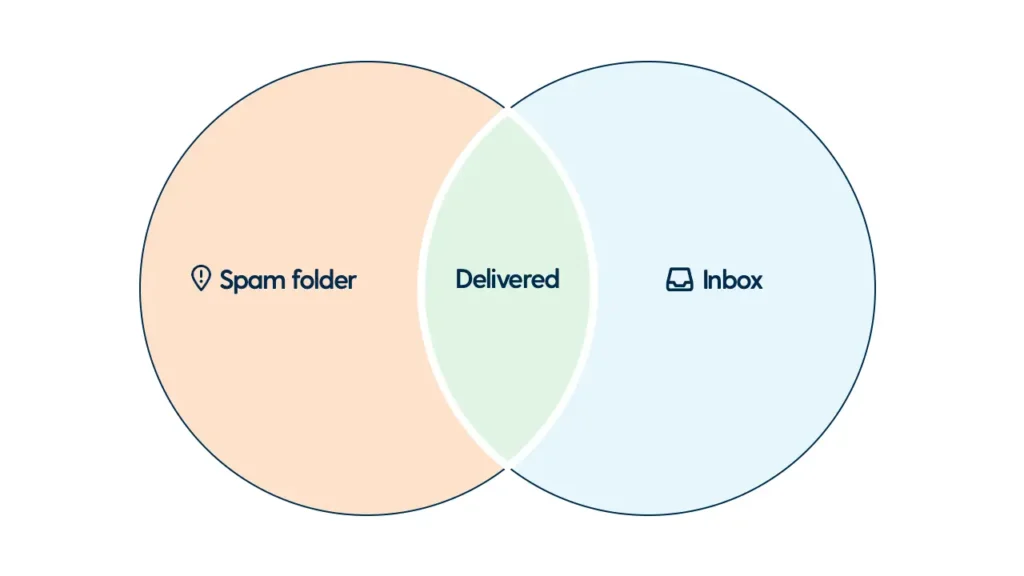
Inbox placement is what really matters. This is the difference between appearing in the primary inbox, the promotions tab, or the spam folder. Sender reputation is one of the main factors that decides this outcome.
You can have a high delivery rate and still struggle with poor inbox placement if your reputation is weak. That is why sender reputation should be treated as a core performance indicator, not a technical afterthought.
Industry research from deliverability platforms consistently shows that reputation issues are among the top causes of inbox placement problems, even when authentication is technically correct.
Sender reputation is not something you earn once. It is recalculated constantly based on your most recent behaviour.
That means:
Inbox providers expect senders to behave responsibly on an ongoing basis. Sudden spikes in volume, neglected lists, or rising complaint rates all signal risk.
The good news is that this also makes sender reputation easier to manage. When you understand the signals that matter, you can deliberately influence them.

Before we dive into the details, it helps to understand how this checklist is structured and how to use it.
Sender reputation is influenced by a small number of themes that recur in inbox provider guidance and industry research. This checklist groups them into clear sections so you can assess your current setup without getting overwhelmed.
At a high level, a healthy sender reputation depends on:
Each section of this guide focuses on one of these areas and breaks it down into practical checks you can apply to your own email programme.
You do not need to tackle everything at once. In fact, most teams improve results fastest by identifying one or two weak spots and fixing those first. Sender reputation improves through consistency, not perfection.
If you are already monitoring performance through tools like Postmaster Dashboards, feedback loops, or deliverability platforms, this checklist helps you interpret what you are seeing and decide what to act on next. If you are not, it will quickly highlight where visibility is missing.
In the next section, we start with the foundation. Because no amount of clever content or segmentation can compensate for weak fundamentals. than reactive fixes.
Sender reputation always starts with trust. Before inbox providers even look at engagement or complaints, they check whether your technical setup makes sense and whether your sending behaviour is consistent.
If these foundations are weak, everything else in this checklist becomes harder to sustain.
Authentication tells inbox providers that you are allowed to send email on behalf of your domain. Without it, your messages look suspicious by default.
At a minimum, every sending domain should have:
Mailbox providers, including Google, explicitly recommend using all three. Proper authentication does not guarantee inbox placement, but missing or misaligned authentication almost guarantees problems.
From a checklist perspective, focus on consistency.
Authentication is not a one-time task. Any new sending source or domain change should trigger a review.
Inbox providers reward predictability. They want to see stable behaviour tied to a clear identity.
That means:
Frequent changes make it harder for mailbox providers to build trust signals. They also confuse recipients, which can lower engagement and increase complaints.
If you need to introduce a new domain or IP, treat it as a reputation-building exercise, not a technical switch. Start slowly and build volume over time so trust can develop naturally.
Not all email is judged in the same way. Transactional messages, such as password resets or order confirmations, typically achieve high engagement and few complaints. Marketing campaigns behave very differently.
Mixing these two types of traffic on the same domain or IP can put your most critical messages at risk. A single poorly performing campaign should not affect the delivery of essential emails.
From a reputation standpoint, separation helps you
Many deliverability guidelines recommend this separation as a best practice, especially as volume grows.
Reputation does not exist on day one. New sending domains and IPs start with little or no trust.
Warming up means gradually increasing volume while sending to your most engaged recipients first. This shows inbox providers that your emails are wanted and well-received.
A rushed warm-up often leads to filtering, even if everything else looks correct. From a checklist perspective, any new sending identity should have a documented warm-up plan and monitoring in place from the start.

Inbox providers learn a lot about you by looking at how recipients respond to your emails. That makes your contact list one of the strongest drivers of sender reputation.
Good list quality supports engagement. Poor list quality leads to complaints, bounces, and negative signals that are hard to reverse.
Permission is not just a legal requirement. It is a reputation signal. When people expect your emails, they are more likely to open, click, and interact. When they do not, they are more likely to ignore you or mark your messages as spam.
Inbox providers track these behaviours closely. Sending to contacts without clear consent increases the risk of complaints and spam-trap hits, both of which can quickly damage reputation. From a checklist perspective, be strict. If you cannot confidently explain why someone is on your list, they probably should not be.
If large portions of your list never open or click, inbox providers may assume your emails are not relevant. Over time, this can drag down your overall reputation, even if a smaller group is highly engaged. A healthy sender reputation strategy includes:
If there is no response after re-engagement, removal is usually the safer option for long-term deliverability.
Purchased lists often look tempting when growth targets are aggressive. From a sender-reputation perspective, they are among the fastest ways to cause lasting damage. These lists frequently contain outdated or invalid addresses, people who never asked to hear from you, or addresses designed to catch unwanted mail.
The result is predictable: high bounce rates, low engagement, and increased complaints. Inbox providers recognise these patterns quickly. No technical setup or clever content can offset the risk here. The safest checklist rule is simple. Do not use them.
When people want to stop receiving your emails, they should be able to do so without friction.
Hidden unsubscribe links or confusing preference centres push frustrated recipients towards the spam button. Spam complaints are one of the clearest negative signals inbox providers receive.
Making unsubscribing easy helps you
It also sends a positive signal that you respect the recipient’s choice, which aligns closely with how inbox providers define responsible sending.

Inbox providers closely monitor how recipients interact with your emails. Engagement is one of the clearest ways they decide whether your messages deserve a place in the inbox.
High engagement supports a strong sender reputation. Low or declining engagement quietly erodes it.
Engagement metrics are not just performance indicators for marketers. They are reputation signals for inbox providers.
Providers look at patterns such as
You do not need perfect engagement across your entire list, but you do need stable and healthy trends. Sudden drops often indicate relevance issues, targeting problems, or fatigue.
Guidance from mailbox providers suggests focusing on recent engagement rather than historical averages. What your audience does today matters more than what they did six months ago.
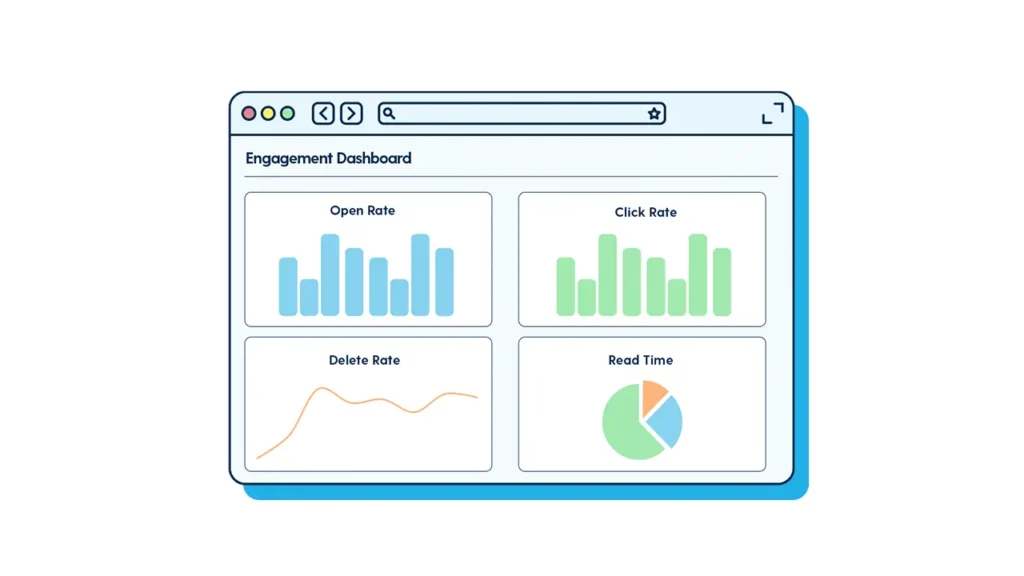
Volume alone does not build a reputation. Relevance does.
Sending more emails than your audience expects can lead to disengagement, even if the content isn’t overtly spammy. Over time, this can lower open rates and increase silent negative signals, such as deletes without reading.
From a checklist perspective, ask
Segmentation and personalisation help here, but even basic relevance checks can make a meaningful difference.
One size rarely fits all.
Some subscribers are happy to hear from you weekly. Others may prefer monthly updates. Inbox providers notice when users repeatedly ignore messages from a sender.
Where possible
Gradual, predictable sending patterns make it easier for inbox providers to trust your behaviour.
Spam complaints and bounces are among the strongest negative signals for sender reputation. They also tend to escalate quickly if left unaddressed.
The goal is not just to keep these metrics low, but to respond fast when something changes.
When a recipient marks your email as spam, that signal goes straight back to the mailbox provider.
Even small increases can have an outsized impact on sender reputation, especially if they are sustained. Most providers recommend keeping complaint rates well below commonly referenced thresholds, but the real risk lies in trends rather than exact numbers.
From a checklist perspective
Many providers explicitly state that repeated complaints signal that recipients did not expect the email.
There are many reasons why recipients would mark even your transactional emails as spam. We listed common factors in this blog.
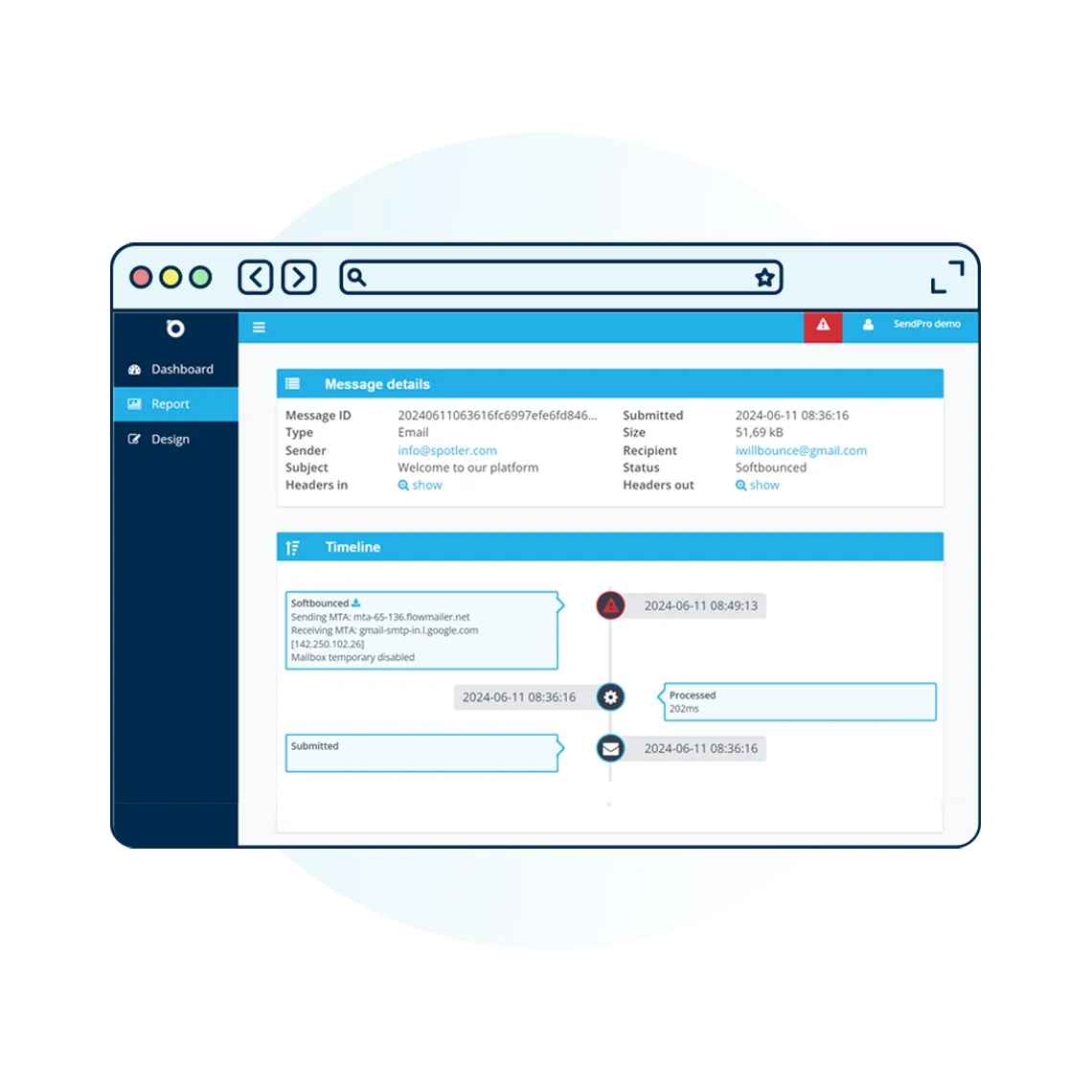
Bounces tell inbox providers about the health of your list. Hard bounces usually indicate invalid or nonexistent addresses. Soft bounces may indicate temporary issues, such as full inboxes or server problems.
High bounce rates suggest poor list hygiene, which can damage the sender’s reputation over time. Best practice guidance consistently recommends removing hard bounces immediately and monitoring soft bounces for patterns.
Even with good lists and solid engagement, the way your emails look and how you send them still influences sender reputation. Inbox providers use behavioural patterns to spot risky or low-quality mail, and content plays a supporting role in that assessment.
The goal here is not to “trick” filters, but to behave as a sender that recipients trust.
Emails that clearly show who they are from, why they were sent, and what the recipient can expect next tend to perform better over time. Consistent branding, a recognisable tone of voice, and honest subject lines all help reinforce that trust.
Inbox providers observe how recipients react to your emails. If people open, read, and engage, it sends a positive signal. If they delete immediately or complain, it has the opposite effect.
From a checklist perspective
Trust is built through familiarity and consistency, not clever tricks.
Emails that rely heavily on images can be harder for inbox providers and recipients to interpret. They also create a poor experience when images are blocked or take a long time to load.
Best practice guidance from deliverability experts consistently recommends a balanced approach. Use text to convey the core message, supported by images where they add value.
This helps improve accessibility, reduce the risk of filtering, and support engagement across devices
Links tell inbox providers a lot about your intent.
Large numbers of links, shortened URLs, or inconsistent tracking domains can raise red flags, especially if they change frequently. This is not about avoiding links, but about using them responsibly.
From a reputation point of view
Consistency helps inbox providers understand and trust your behaviour.
Inbox providers prefer senders who behave in a steady, predictable way. Sudden spikes in volume, irregular schedules, or large one-off campaigns can look suspicious, particularly if engagement does not increase at the same time.
Sender reputation problems rarely appear without warning. The challenge is that many teams lack visibility into early signals. Monitoring is what turns sender reputation from guesswork into a manageable process.
Sender reputation is not a single metric, but it leaves traces across multiple data points.
Key indicators to watch include:
Authoritative sources in deliverability consistently emphasise trends over snapshots. One bad day matters less than a bad direction.
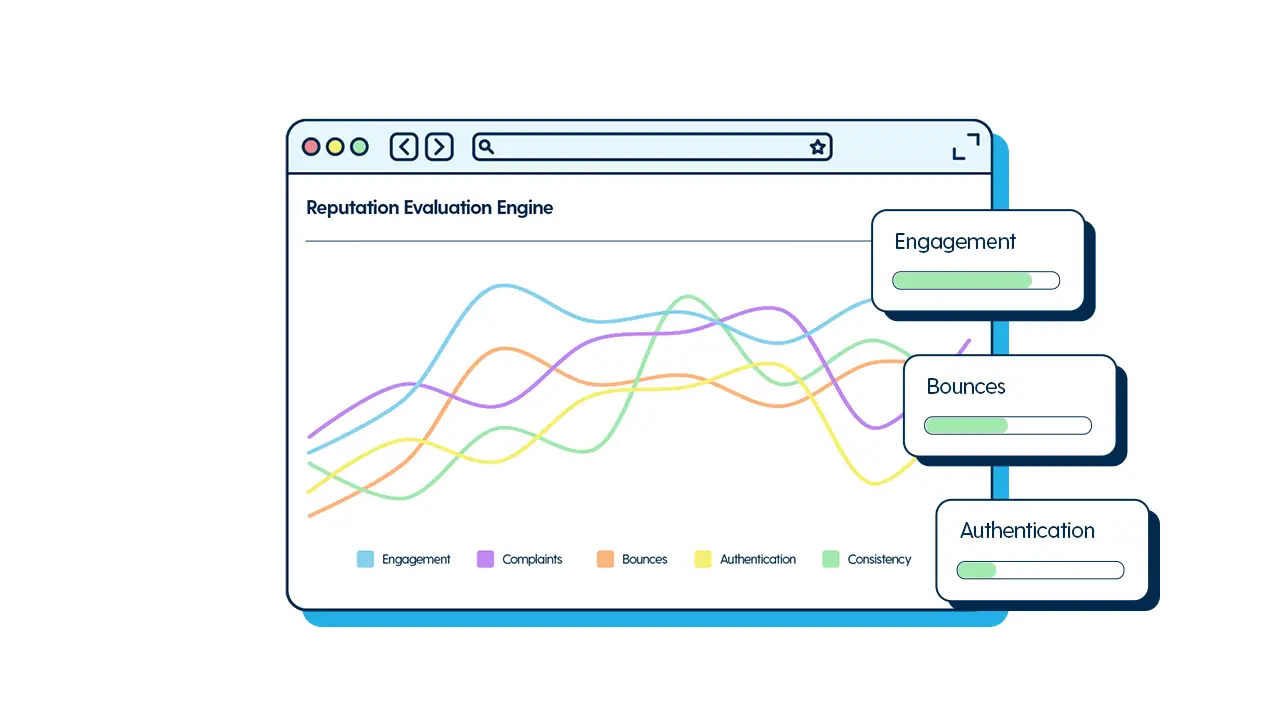
Many mailbox providers offer tools that give senders insight into how their email is being received. These tools surface data on complaints, spam filtering, and domain or IP reputation.
While they do not provide a full picture on their own, they are valuable early warning systems. They also reinforce how inbox providers think, which helps guide better sending decisions.
From a checklist perspective
Sender reputation improves fastest when teams can connect actions to outcomes. Keeping a simple log of changes, such as list clean-ups, frequency adjustments, or new content formats, makes it easier to understand what influenced performance.
This habit turns deliverability from a reactive task into an optimisation process.
Working through this checklist manually is possible, but it does not scale well. Sender reputation is influenced by many moving parts, and issues often appear between campaigns, not during them.
This is where having the right tooling matters. A strong sender reputation solution helps teams:
Spotler SendPro is built to support exactly this kind of proactive approach. By combining visibility into sending behaviour, reputation signals, and performance trends, marketers can maintain control over their deliverability without becoming specialists.
Use this checklist as a recurring review, not a one-off exercise. Sender reputation improves through consistent behaviour over time, and small issues are much easier to fix when spotted early.
Inbox providers can clearly verify your identity and trust you as a sender:
Your sending behaviour looks consistent, intentional, and low risk:
Your emails go to people who expect them and are likely to engage:
Recipients regularly interact with your emails, reinforcing positive reputation signals:
Negative signals stay rare, contained, and short-lived:
Emails feel legitimate, transparent, and easy to engage with:
Reputation issues are identified early, before inbox placement suffers:
Sender reputation is managed as an ongoing process, not a reactive fix:
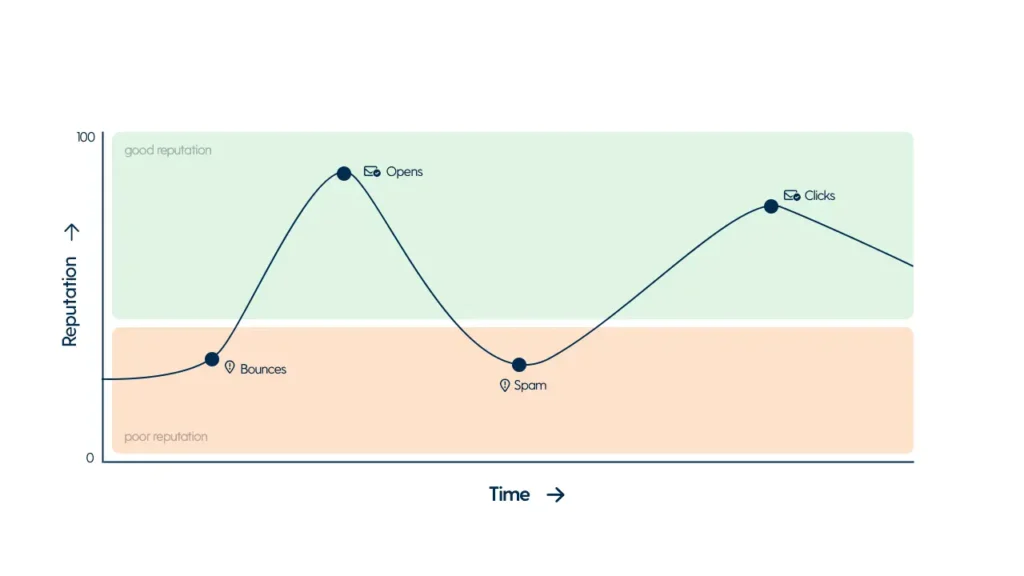
A strong sender reputation is not built through hacks or shortcuts. It is the result of consistent, respectful email marketing supported by good visibility and fast feedback.
Use this checklist as a working document. Revisit it regularly, especially when performance changes or new sending activity is introduced. The more predictable and recipient-focused your behaviour is, the easier it becomes to earn and keep inbox trust.
If you want to make this process easier and more scalable, exploring how Spotler SendPro supports sender reputation monitoring is a natural next step.
Sender reputation is how inbox providers evaluate the trustworthiness of an email sender. It is based on ongoing behaviour, including recipient engagement, spam complaints, bounce rates, authentication setup, and sending consistency. A strong sender reputation increases the likelihood that emails land in the inbox rather than spam.
Inbox providers use sender reputation as a key signal to decide where an email is placed. Even if an email is technically delivered, a weak sender reputation can cause it to land in spam or secondary folders. High sender reputation improves inbox placement by signalling that recipients find the emails relevant and trustworthy.
Sender reputation is most quickly damaged by high spam complaint rates, sending to people without consent, poor list hygiene, and sudden changes in sending behaviour. Purchased lists, rising bounce rates, and low engagement also create strong negative signals for inbox providers.
Sender reputation improves through consistent, responsible sending. Key actions include authenticating all sending domains, sending only to opted in contacts, removing inactive subscribers, monitoring engagement trends, keeping complaint rates low, and avoiding sudden spikes in volume. Improvements happen gradually as inbox providers observe better behaviour.
Yes. Authentication does not create a good sender reputation on its own, but it is a foundational requirement. Inbox providers expect senders to use SPF, DKIM, and DMARC to verify identity and protect users. Missing or misaligned authentication can negatively affect sender reputation and deliverability.
Sender reputation is monitored by tracking engagement trends, spam complaints, bounces, and authentication status over time. Many mailbox providers offer postmaster tools and feedback loops that surface early warning signals. Dedicated deliverability solutions help centralise this data and make reputation issues easier to detect and resolve.