Let’s be honest. UTMs don’t sound exciting. However, they’re practical, powerful, and quietly essential for achieving real results from your marketing. They help you answer questions like:
- Where did this lead actually come from?
- Which channels drive the best traffic?
- Is that shiny new campaign doing anything useful?
This A-Z covers everything you need to know to help you build better links, run cleaner campaigns, and report with confidence.
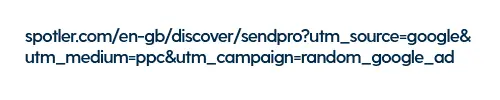
A – Automatic
Spotler automatically adds UTMs to your emails and social media posts, so you’ve got a baseline setup from day one. You can customise it once you know how you want to structure your tracking.
B – Backlinks
If other sites are linking to your content, UTMs let you track which referrals actually drive visits. Whether it’s a partner promotion or an unexpected mention, you’ll see what’s working.
C – Content
This optional field is useful when running A/B tests or tracking creative variants. Add it when you need more detail about what people are clicking.
D – Discipline
Set clear naming rules early on. Things like lowercase vs. title case, word separators, and date formats. A little structure saves a lot of pain in reporting later.
E – Email Signatures
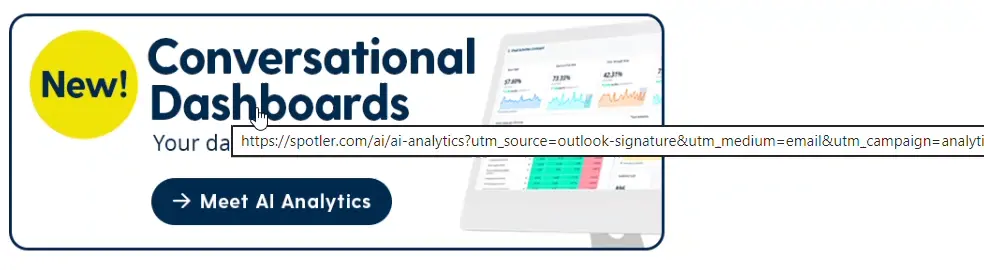
A good place to add tracked links. A UTM-tagged banner in your team’s email signature turns regular emails into another trackable marketing touchpoint.
F – Free
We’ve built a free tool to help you generate UTM links. It’s quick, simple, and available to anyone, not just Spotler customers.
G – Grouping
With consistent UTM naming, you can group campaigns together in your reports. It makes trends easier to spot and performance easier to explain.
H – Homepage
Sending people to your homepage isn’t ideal, but if you do, be sure to track those links. It’s still useful to know which traffic landed there, even if it’s not your main goal.
I – Internal Links
Tagging links inside your own content (like blogs or newsletters) helps you learn what people click on once they’ve arrived. It’s great for understanding reading patterns and engagement.
J – Joined-up View
One of the biggest benefits of using UTMs consistently: you can compare results across channels, campaigns and time periods without stitching data together manually.
K – Kick-Off
Start where you are. You don’t need to retro-tag everything from the past. Start with your next campaign and build upon it.
L – Limit
Technically, UTM values can be as long as you want. However, keep them concise, readable, and relevant; especially if you’re using them in paid media or any public-facing context.
M – Medium
One of three required fields. This is where you specify the type of marketing activity, like `email`, `social`, or `paid`.
N – Name
Also required. This is the campaign name: the more precise and consistent you make this, the easier your reports will be to read.
O – Organic
UTMs don’t apply to organic traffic, but that’s fine. Once you’re tagging everything else, it’s easier to see what came in without a source; i.e., your organic baseline.
P – PPC (pay per click)
If you’re paying for clicks, it makes sense to track them. Use UTMs to check which ads lead to actual engagement, not just impressions or visits.
Q – Quality
Not all traffic is good traffic. With UTM tags in place, you’ll spot which sources bring people who actually stay, convert, or return.
R – Reporting
UTMs make campaign reporting easier and more accurate. You can break down results by platform, medium or even specific post, all from the same dashboard.
S – Source
The third required field. Use it to identify the traffic origin, like ‘LinkedIn’, ‘Google’, or ‘newsletter’.
T – Term
Optional, but helpful if you’re running paid search campaigns and want to track which keywords are converting.
U – Urchin
UTMs originated from a tool called Urchin, which later evolved into Google Analytics. It’s a bit of digital history and one that’s stuck around for good reason.
V – Visual
Here’s an example of a full UTM-tagged link:
www.example.com/ebook?utm_source=linkedin&utm_medium=paid&utm_campaign=leadgen2025
It’s long. It’s not pretty. That’s why most people use a link shortener when sharing in public.
W – Web
The whole point of UTMs is to track web traffic. Whether it’s a landing page, blog post or form, UTMs show you how people got there.
X – eXact Knowledge
We know, it’s a stretch. However, UTMs do provide clear, specific insight into what’s working. That’s the real value.
Y – You
If you’re managing links, campaigns, or reporting, UTMs are your responsibility. The good news is that once you build them into your process, they don’t require much effort to maintain.
Z – Zzz
Knowing your tracking is solid, your reports are clean, and your campaigns are measurable means fewer surprises and better sleep.
Final thought
UTMs won’t fix a weak message or a poorly targeted ad. But they *will* help you understand what’s working, where to spend your time, and how to make better decisions next time round. They’re not fancy. They’re not difficult. But they do make a difference.