Short answer: A triggered email sequence is a series of automated emails sent in response to a specific customer action, such as signing up, abandoning a cart, or making a purchase, rather than on a fixed calendar date. To set one up, you need four things: an event tracking system that fires when the action happens, an email platform with automation or workflow capability, a defined sequence of emails with timing and conditional logic, and a way to measure and improve performance over time. Platforms such as Spotler Mail+ and Spotler Activate are built specifically to support this kind of behavioural automation, so you don’t need to build the trigger logic from scratch.
This guide walks through the full process, from choosing triggers to writing the emails themselves.
A triggered (or behavioural) email sequence is different from a broadcast newsletter. Instead of sending the same email to everyone on the same day, the system waits for a customer to do something, and only then starts sending.
Common triggers include:
The key distinguishing feature is that the send date is calculated relative to the customer’s own behaviour, not a fixed calendar schedule.
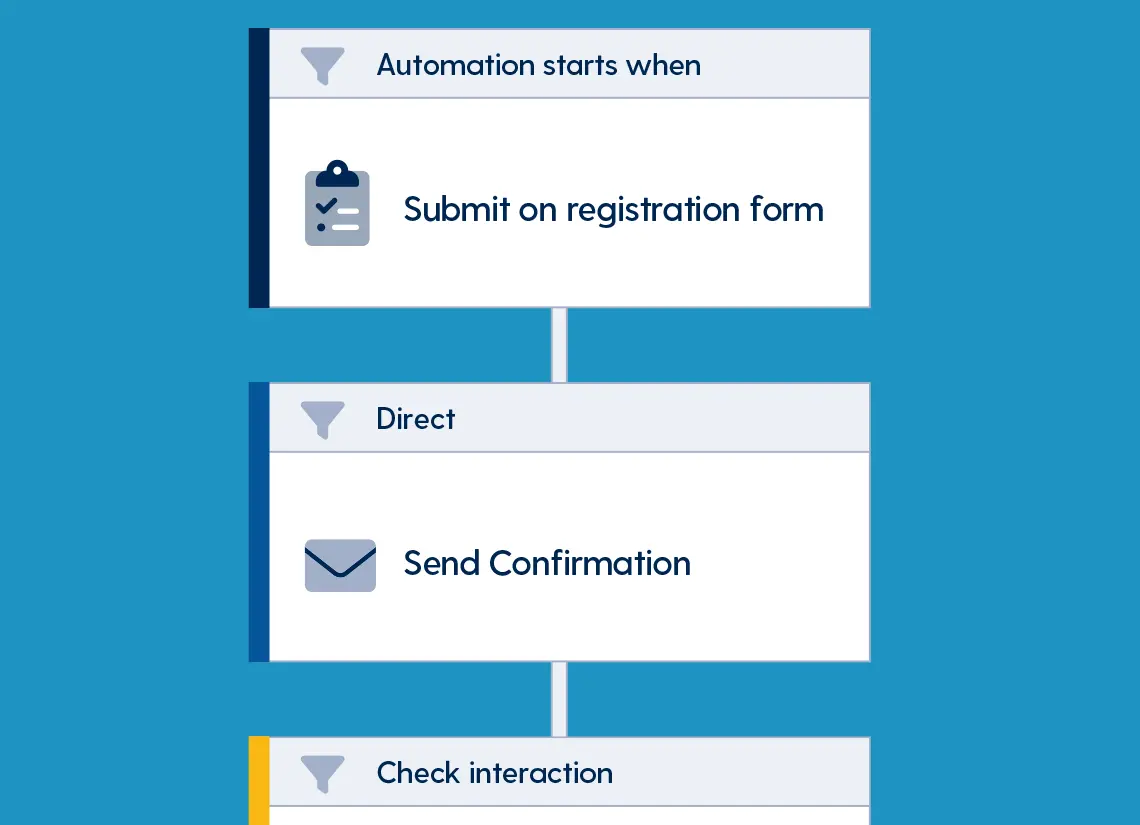
Before touching any software, define the trigger with precision. A vague trigger produces a broken sequence.
Ask yourself:
This exclusion logic is where most broken sequences fail. A cart abandonment email that goes out after someone has already checked out damages trust.
You need a platform that supports event-based automation, not just scheduled campaigns. Spotler’s portfolio covers most of what’s needed here:
Focuses on personal, relevant, one-to-one communication and is well-suited to lifecycle and behavioural sequences such as welcome series or win-back campaigns.
Brings together customer data, segmentation, and journey building, so ecommerce triggers like cart abandonment and post-purchase flows can be built visually and connected directly to your webshop.
Handles transactional emails, meaning the essential, triggered, one-to-one messages such as order confirmations and shipping updates that need guaranteed, fast delivery.
Stores customer and prospect data centrally, which can feed additional context (deal stage, purchase history, support status) into your triggers.
Depending on your setup, trigger data reaches these platforms in a few ways:
For each trigger, draft the full sequence before building anything. A typical structure looks like this:
| Timing | Goal | |
|---|---|---|
| 1 | Immediately or one hour later | Acknowledge or remind, low pressure |
| 2 | Twenty-four hours later | Add value: information, social proof, answers to common questions |
| 3 | Forty-eight to seventy-two hours later | Incentive or urgency, such as a discount or scarcity message |
| 4 (optional) | Five to seven days later | Last call or an alternative offer |
Example of a cart abandonment sequence built in Spotler Activate or Spotler Mail+:
Each email should have one clear goal and one clear call to action. Don’t cram every message into the first email.
Real sequences aren’t linear. Build in conditions such as:
Because you know exactly what the customer did, personalise accordingly:
Spotler’s email builders support dynamic content blocks, meaning a single template can automatically pull in the relevant product, price, or name for each recipient rather than requiring a separate template per scenario.
Before turning a sequence live:
Track these metrics per sequence, not only per individual email:
Spotler’s reporting tools (available across Mail+ and Activate) let you view these metrics at the sequence level rather than only per campaign, which makes it easier to see where a flow is losing people.
Review performance monthly and test one variable at a time, such as subject line, timing, or incentive.
Most effective sequences use three to five emails. Fewer than that often underdelivers value; more than that risks fatigue unless each email adds something distinct.
A drip campaign sends on a fixed, time-based schedule (day one, day three, day seven after sign up) regardless of behaviour. A triggered sequence can include that same kind of timing plus branches based on what the customer actually does in between.
For standard ecommerce triggers such as cart, purchase, and browse, platforms like Spotler Activate offer native, no-code integrations with common webshop systems. For custom in-app triggers, you will typically need a developer to fire an event via API or webhook, which Spotler supports through its own APIs and Spotler Connect.
Industry benchmarks generally place cart recovery email open rates around forty to fifty percent, and conversion (recovered) rates around five to fifteen percent, though this varies significantly by industry and price point.
Triggered email sequences work by connecting a specific customer action to an automated, time-based series of emails with built-in exit and branching logic. Success depends most on defining the trigger, mapping the sequence with a clear goal per email, and continuously measuring trigger to conversion performance. Tools such as Spotler Mail+, Spotler Activate, Spotler SendPro, and Spotler CRM cover most of the pieces needed, from customer data and segmentation through to the actual sending and reporting.
Want to know more? Check out our products.