


Manage and share photos, videos and other media that together define your brand. Available to everyone who is authorised to work with them.













































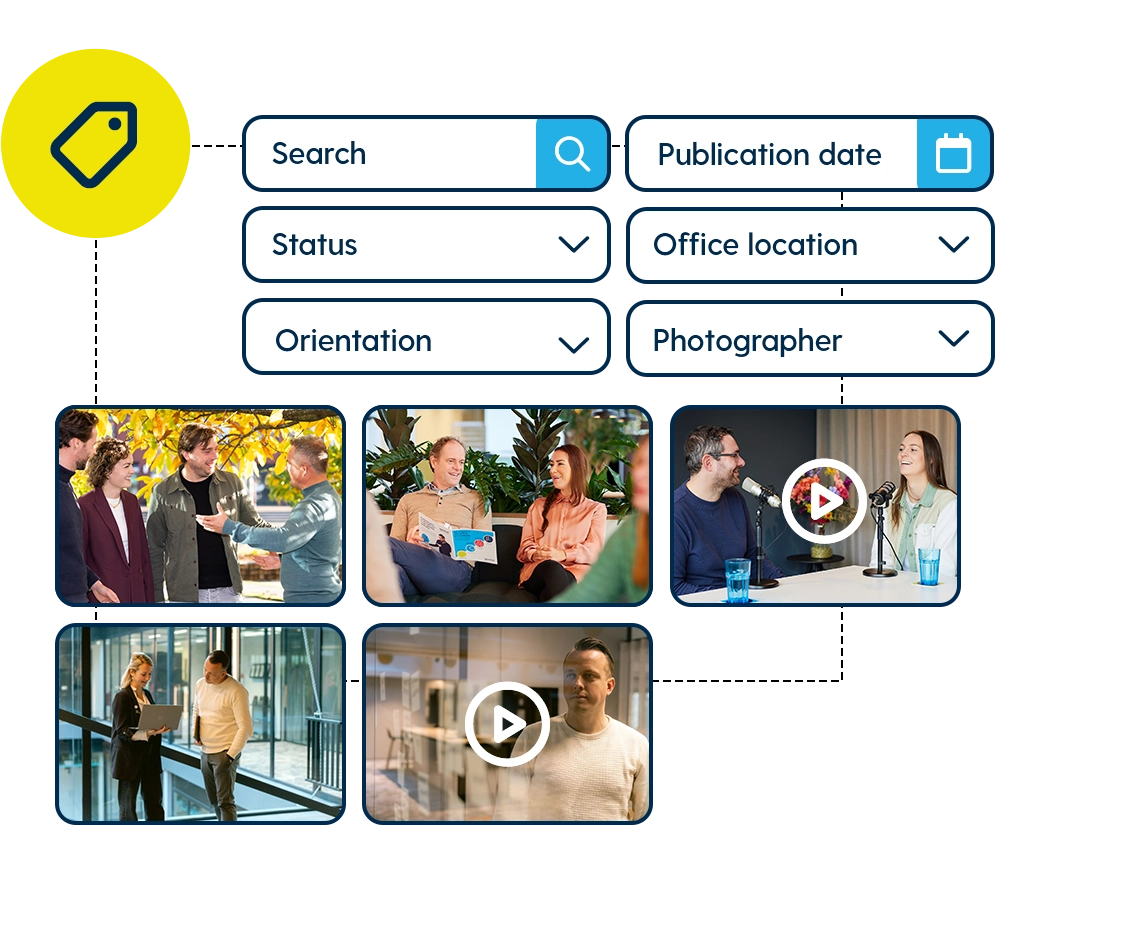
No matter how many assets you have, you can find any file in seconds in the Mediabank. Smart filters, powerful search functionality and automatic tagging take you straight to the right photo, video or logo.
Configure search filters and metadata fields to match your organisation. Always up to date and ready to use. This helps you work faster and eliminates the need to search through cluttered folders. One central mediabank gives you the control you’re looking for.
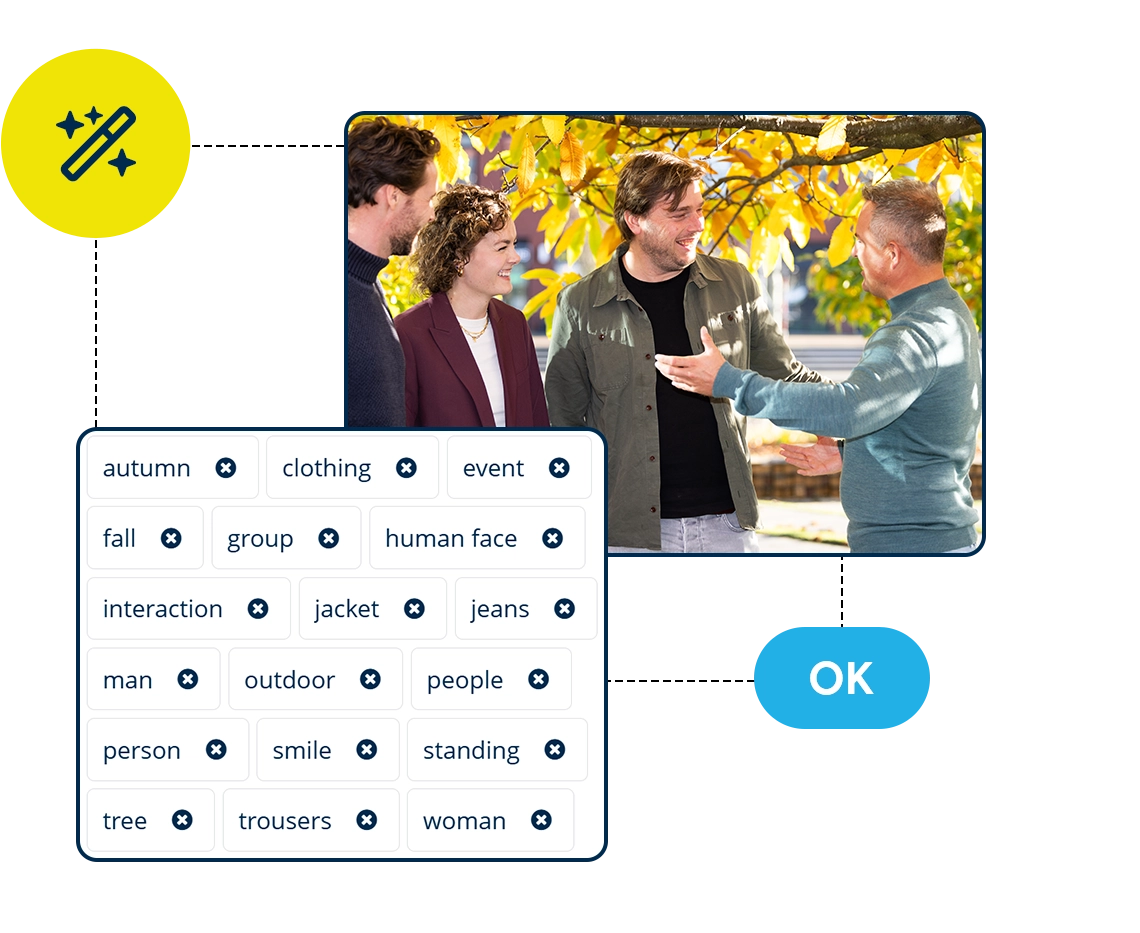
With AI-powered auto-tagging, files are automatically enriched with relevant keywords and smart suggestions. Manual tagging becomes a thing of the past. Find the right photos and visuals faster thanks to consistent tagging. Your media stays organised, searchable and up to date at all times. Use groups and collections to neatly structure your assets.

All assets are stored in one central place, including the correct rights and quit claims. Easily link consent forms and licenses to images, so you always know which visuals can be used and which licenses have expired. This supports GDPR compliance and helps prevent incorrect or harmful use of imagery.

Share your files safely with colleagues or external partners. Send and share media directly from your media library, available to download in various formats and file types. Secure and GDPR-compliant, with no detours via WeTransfer, Dropbox or other tools.
With advanced roles and permissions, you decide who has access to which files. Safe and clear. And with Single Sign-On (SSO), logging in is effortless.

Do you work a lot in PowerPoint or Word? With the Office 365 add-in, you can insert approved media directly into your documents without leaving your Office environment. A sidebar in your Office applications gives you access to all assets and filters from the Mediabank. Add images with a single click, in the correct position, size and resolution. This ensures you and your colleagues work consistently on brand. The Office 365 add-in increases adoption of assets stored in your DAM. One Mediabank, one workflow, always the right content.

A central Mediabank helps your organisation communicate more effectively. Using the right visuals consistently is the foundation of a strong, recognisable brand. A Mediabank becomes even more valuable when combined with Content Templates. With Content Templates, anyone can easily create communication materials, without design skills, using approved imagery and always within your brand guidelines.
Learn more about Content TemplatesWith Spotler Brand ID, you have all the tools you need to streamline your brand identity. Discover how Brand ID helps your organisation to quickly, simply and independently capture and share your brand and house style.



