Most insurers can say when a customer message left their system. Far fewer can say what happened next. This guide explains why that gap matters, how the replies sent back by the receiving mail server close most of it, and what a message-level record looks like in practice.
It is written for people who own customer communication at an insurer: operations, IT, compliance, claims, and customer service leads. No knowledge of email protocols is assumed.
Three points to take away:
The chapters that follow start with the problem and what “sent” hides. They then cover the evidence a receiving server provides, what to do when delivery is delayed or fails, and how to bring many sending systems under one record. A practical plan, a short exercise and a set of frequently asked questions close the guide.
When your business sends an important customer email, do you know whether it arrived? That is a different question from whether your system says it was sent, and the difference is where this guide starts.
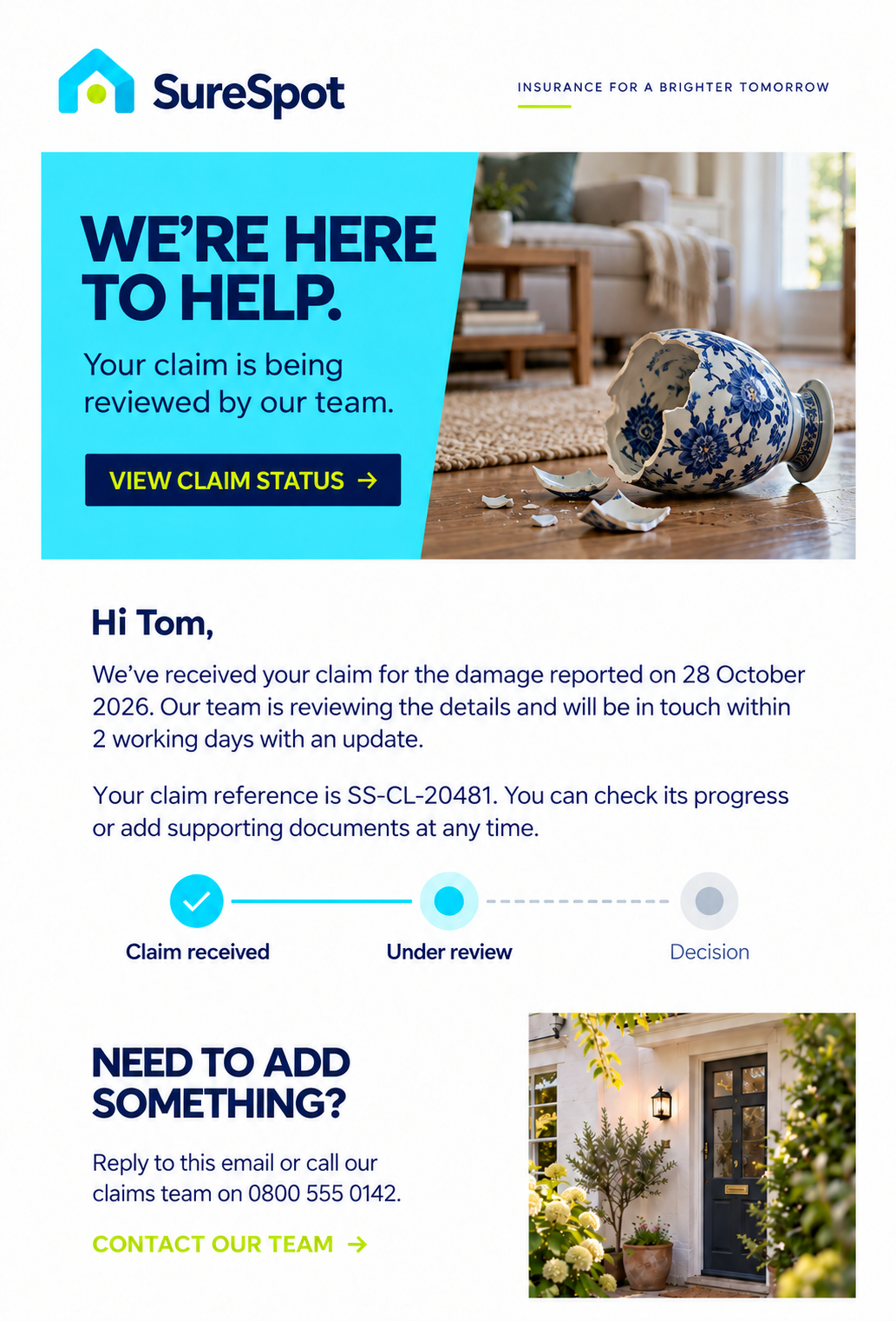
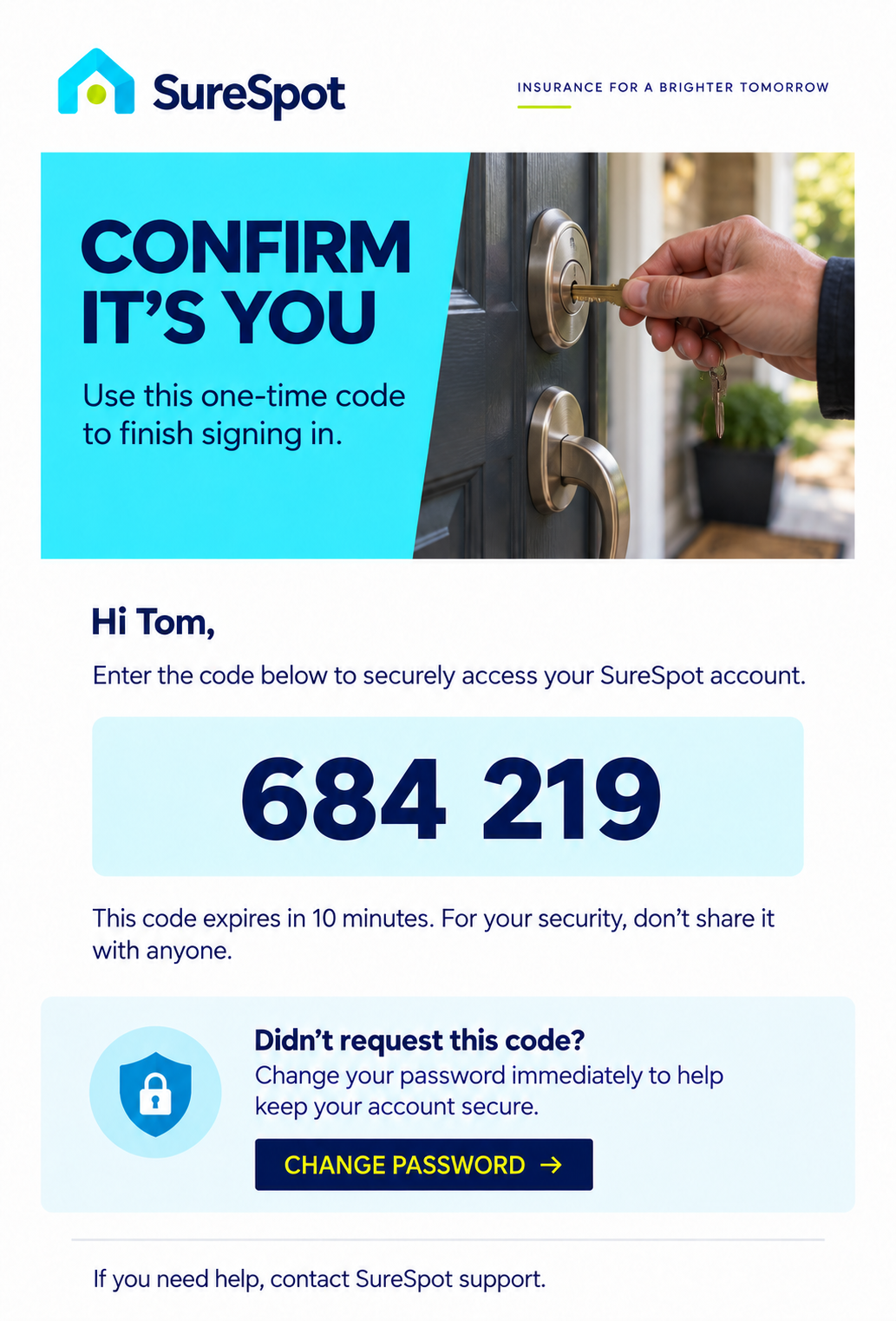
Think about the messages that matter most: a renewal notice, a claims update, an authentication code. Any one of them can leave your system without an error and still fail to do its job. Your system records it as sent and carries on.
Quite often, that middle step between your system and the customer’s inbox is where visibility ends. The gap already exists somewhere in your organisation.
The examples below are illustrative. They are composites of common failure patterns, not accounts of a specific insurer or customer.
A renewal notice. A policy administration system generates a renewal notice three weeks before expiry and hands it to the mail relay. The relay accepts it, the system logs “sent”, and the job closes. The customer’s mailbox is full, so the receiving server rejects the message. Nobody at the insurer knows. The customer first hears about the renewal when something has already gone wrong, and the first conversation is a complaint.
A claims update. A claims handler triggers an email confirming that a repair has been approved. The customer changed email provider last year, and the old address no longer exists. The message is rejected permanently within seconds, yet the claims system shows “sent”. Two weeks later, the customer calls to ask why nobody has been in touch. The handler can see the message went out, but cannot say what happened to it.
An authentication code. A customer asks for a one-time code to log in to the portal. The receiving server asks the sender to try again later, which is common under greylisting or rate limiting. The code arrives after it has expired. The portal sees no failure, the customer sees a broken login, and the support team sees a ticket that says “code never arrived”.
In each case, the sending system did exactly what it was built to do. What was missing was visibility of the next step.
Application logs answer a different question: did our software do its job? “Sent” means “handed on”. Delivery depends on another party, the receiving mail server, and that server’s answer is usually never recorded by the application that sent the message.
Closing the gap doesn’t need new customer data or a new channel. It needs you to keep the answer the receiving side already gives. The rest of this guide is about that answer.
A customer email passes through several hands between your system and their inbox. The table sets out each stage, what can go wrong there, and who normally sees it.
Stages one and two sit inside your organisation or your supplier, and most firms monitor them reasonably well. Stages four and five are largely beyond any sender’s view.
Stage three is the interesting one. It sits outside your walls, yet it replies to every message, and the reply is specific, timed and machine-readable. Many setups never keep that reply in a form anyone can search.
This guide concentrates on stage three, because it offers the most evidence for the least effort.
When a sending platform delivers a message, it opens a short exchange with the receiving mail server. The server replies with a three-digit code, usually followed by a line of text that gives the reason. The code falls into one of three groups, and each group tells you something useful. You don’t need to memorise the codes, only what the groups mean.

Take a 250. The server accepted the message, and you can see that for this message, this customer and this time (10:42:07, say). That is already a very different record from “our system says we sent something on Tuesday”. If somebody asks later what happened at the point of handover, you can answer them.
One distinction is worth making. A 250 means the receiving server accepted the message. It does not automatically mean the message landed in the inbox, and it doesn’t prove the whole customer outcome. It is, though, a real and datable piece of the story, and it tells you far more than “sent”.
A 4xx is the receiving server saying “not now”. The usual causes are a full mailbox, a server that is temporarily overloaded, greylisting (a spam-control technique that asks unfamiliar senders to retry) and rate limiting. Nothing is lost at this point, but the message is not yet delivered either.
For most messages that is fine. For a time-critical one it is the moment you most want to know. The chapter on handling a 4xx covers what to do.
A 5xx is a permanent refusal. The address may not exist, the domain may be wrong, or the receiving server may have blocked the sender. Retrying won’t change the answer, so the useful questions become: why did it fail, and how else do we reach this customer?
The chapter on handling a 5xx covers that.
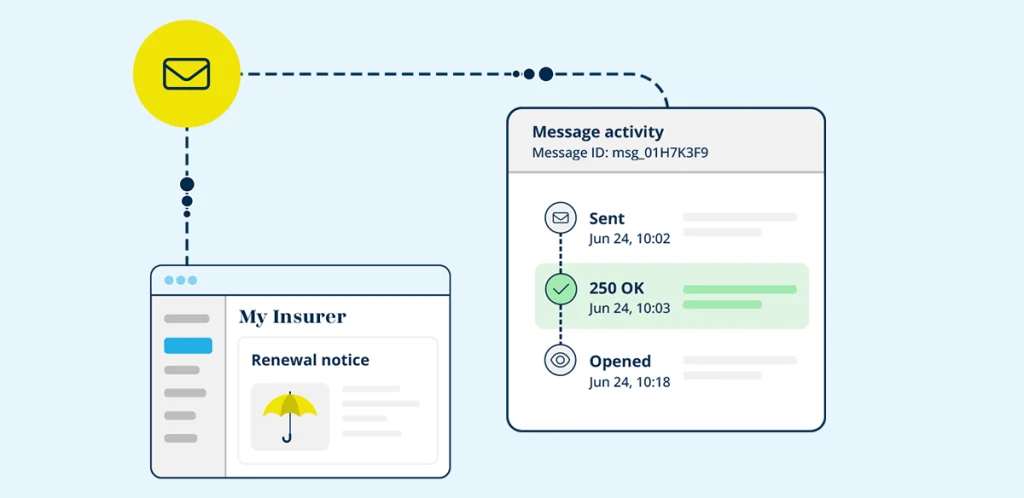
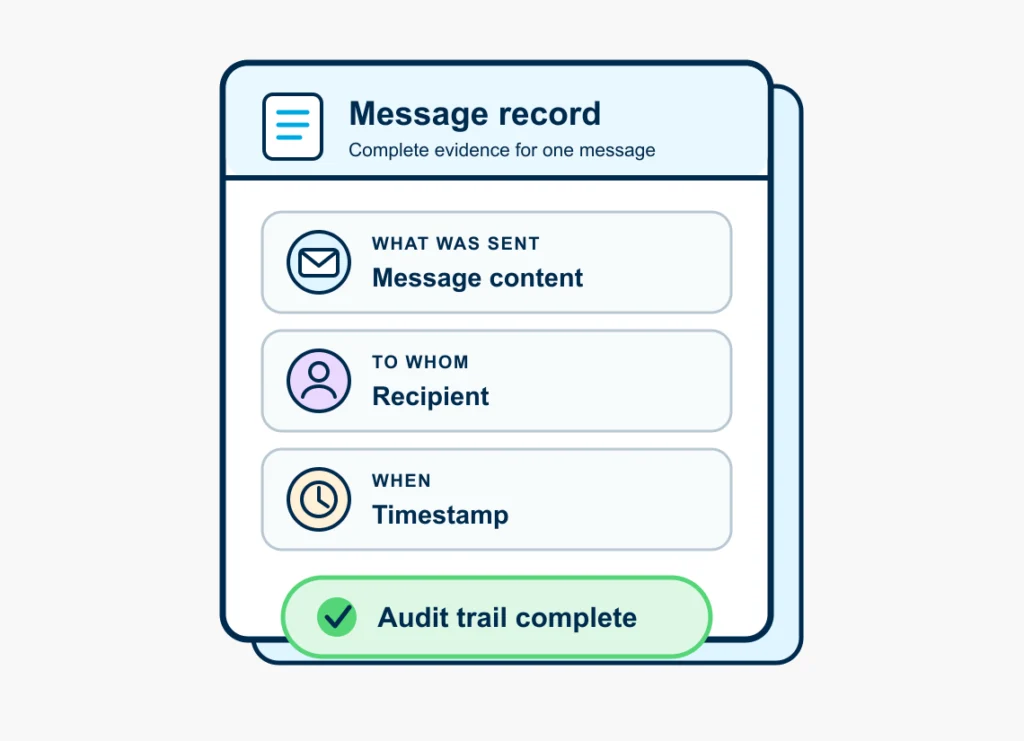
A message-level record is the receiving side’s answer, kept against the message it relates to. Four things make it useful:
The example below is illustrative. It shows the record for a renewal notice sent by a policy administration system.
In SendPro this is the event timeline for a message, with the raw message data (headers and content) behind it. Archived messages are kept as an exact copy, including attachments and layout. Read more about the message archive.
For an insurer, a technical detail becomes a regulatory one quickly. The Consumer Duty has put much more focus on outcomes. Saying “this is our process” is useful, but it isn’t the same as showing what happened.
Consumer understanding is one of the outcomes under the Consumer Duty. In March 2026 the FCA published its review of how firms deliver it, based on a survey of 38 firms that included insurers (FCA). The review describes good practice as testing communications, reviewing management information regularly, and acting on what it shows.
It also names a weakness. Several firms continued to rely on sales data or the absence of complaints as evidence that customers understood. The FCA says that does not give reliable assurance. A further finding was a weak feedback loop: firms monitored, but did not consistently act on what they learned.
The review is about whether customers understand what they receive. It does not set a standard for email delivery. The two are linked in the same way: a customer can’t understand a message that never reached them, and a firm that can’t show a message arrived can’t show it was understood. A message-level record is the first link in that chain of evidence.
Not hearing complaints doesn’t necessarily mean a communication worked. A customer who never receives a renewal notice rarely complains about the notice. They complain about what happens next.
With a claim, a renewal or another important customer message, being able to go back and reconstruct what happened becomes valuable. It lets you find the failure before the customer does.
Once a customer disputes a communication, the questions come from several directions. A complaint handler, an internal auditor, a regulator or the customer’s representative may each ask some version of:
Without a record, each answer is assembled from application logs, template history and recollection. With one, each answer is a lookup.
If a complaint reaches the Financial Ombudsman Service, the ombudsman decides on the balance of probabilities: what is most likely to have happened, given the evidence available. In a 2024 decision about policy maturity letters, the ombudsman explained that when a business provides evidence a letter was generated, correctly addressed and sent, the service generally accepts that position (Financial Ombudsman Service, DRN-4353025).
For email, a message-level record supplies that evidence and goes one step further: it shows whether the customer’s mail provider accepted the message. It cuts the other way too. A record showing a bounce is evidence that the message did not arrive, which is exactly why the chapters on handling a 4xx and a 5xx matter.
Resilience is usually discussed at a very large scale: cloud infrastructure, critical suppliers, business continuity. Regulators ask insurers about their dependence on third parties, and insurers ask the same of the suppliers who carry their customer communications. In the UK, the FCA and PRA operational resilience rules apply to all Solvency II insurers, which had until 31 March 2025 to show they could stay within impact tolerances for their important business services (FCA). For groups with EU entities, DORA applies as well.
In its review of insurers, the FCA highlighted as good practice firms that considered possible harm at each point of the customer journey, including renewing a policy and making a claim or a complaint. Each of those moments depends on messages getting through.
The chain eventually runs out of levels. At the bottom sits one customer waiting for one message. That is where resilience becomes practical, and four questions apply:
The answers depend on the message. A useful starting point is to sort your customer communications into three tiers, so that you can decide in advance what happens when delivery is delayed or fails.
The tiers above are a starting point, not a standard. Your own list will differ. What matters is that you decide it before the afternoon something goes wrong.
The next two chapters show what the answers look like when the receiving server says “not yet”, and when it says “no”.
A 4xx isn’t a failure. The receiving server is asking the sender to come back later, perhaps because the mailbox is full, the message has been greylisted or the sender is being rate limited. Nothing dramatic has happened yet.
The platform keeps hold of the message and tries again. This isn’t a dead end: the message is still in play. SendPro’s bounce management separates temporary problems (soft bounces) from permanent ones (hard bounces), and handles each differently.
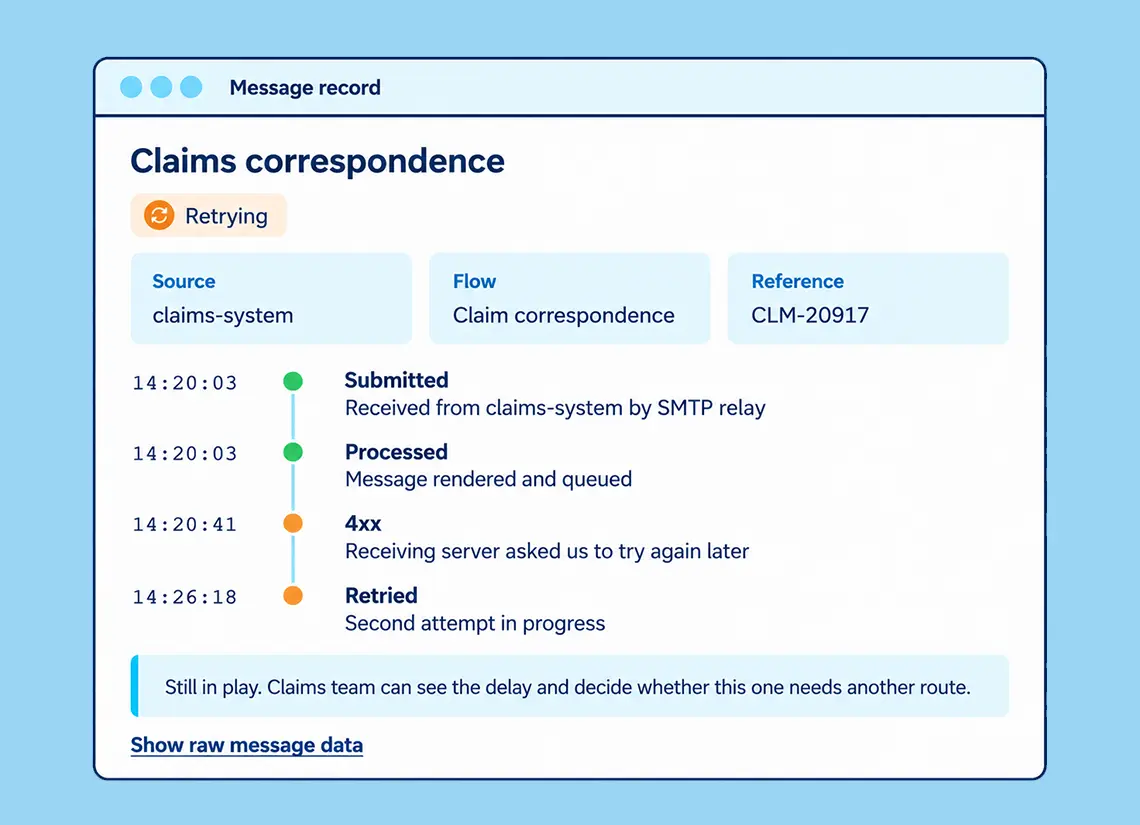
The example below is illustrative. A claims update is submitted at 14:20:03, and the receiving server asks for a retry at 14:20:41.
Without a record, this message would simply read “sent”. With one, the claims team can see that it’s delayed, and for how long.
The retry carries on in the background, but now you know there is a temporary problem, and that gives you a choice. If the message is routine, let the platform do its job. If it’s urgent, you have options: an SMS, a heads-up to support, or another route. You make that decision because you know what is happening, rather than because someone eventually notices that something went wrong.
The tiers from the previous chapter turn that choice into a rule. The table is illustrative, and the thresholds are for you to set.
A retry that succeeds three days later is a success for a policy document pack and a failure for an authentication code. Agree for each tier how long a delay is acceptable, and what happens when that time runs out. The platform handles the retrying. The deadline, and the fallback behind it, are decisions for your business.
A 5xx is less forgiving. At this point, retrying is just stubborn: the address is dead, blocked or rejected, and another attempt isn’t going to fix that. So you stop using it, and the question becomes how else to reach the customer.
The cause decides the next step. The table is a simplified guide.
A hard bounce needs to lead somewhere. In practice, that means three steps:
The example is illustrative. A claims update confirming an approved repair is sent to the address held on the customer’s file. The receiving server rejects it within seconds because the address no longer exists.
Without a record, the claims handler sees “sent”, and the customer calls two weeks later to ask for news. With one, the handler sees the rejection the same day. The address goes to the dropout list, the customer is phoned, the corrected address is saved back to the claims system, and the note on the case says what was done and when.
When the customer’s complaint arrives, if it does, the answer is already written.
The third step is what the later question rests on. When somebody asks what happened, the answer isn’t just “the email bounced”. You can also show what you did about it. SendPro’s message archive keeps an exact copy of archived messages, including attachments and layout, for a year, and their metadata for three years.
A hard bounce tells you something specific: the address you hold for this customer no longer works. What you do with that information has regulatory, reputational and practical consequences.
The UK GDPR requires personal data to be accurate and, where necessary, kept up to date. The ICO’s guidance says that if you discover personal data is incorrect or misleading, you must take reasonable steps to correct or erase it as soon as possible (ICO).
The ICO’s own example is a postal mailing returned marked “not at this address”: the organisation should update its records to show the address is no longer current. A hard bounce is the email equivalent. The ICO notes that this guidance is under review following the Data (Use and Access) Act.

Since 5 February 2026, the maximum fine under PECR, the UK’s Privacy and Electronic Communications Regulations, has been £17.5 million or 4% of annual global turnover. It was previously £500,000. The change came through the Data (Use and Access) Act 2025 and its sixth commencement regulations (Clifford Chance; Mayer Brown).
PECR’s marketing rules apply to direct marketing. Messages sent for administrative or customer service purposes count as service messages, so a neutral renewal notice or claims update falls outside them. That exemption falls away if a message has a promotional element (RPC). A renewal notice that also promotes add-ons sits closest to that line.
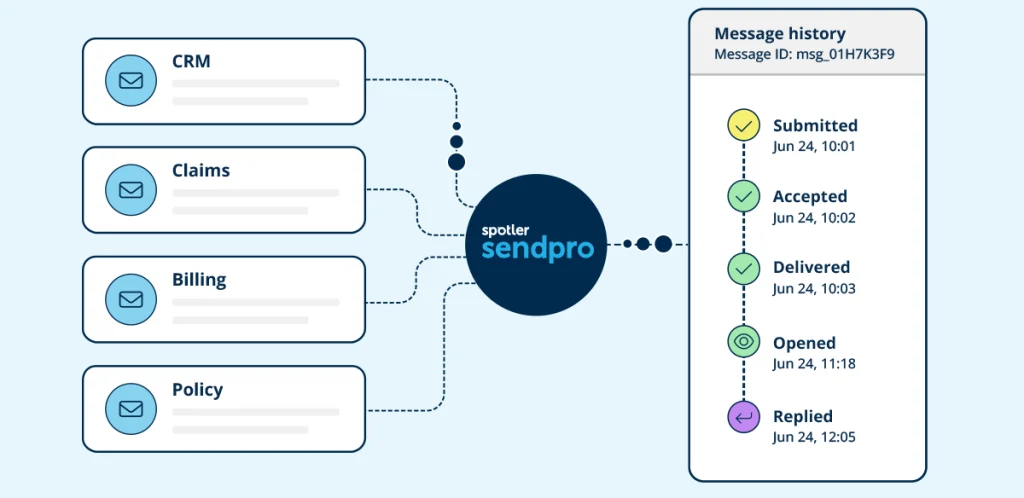
Most insurers don’t have one system sending every customer message. Policy, claims, billing, CRM and customer portals each have their own reason to send something, and each can only report that it sent it.
The scenario below is illustrative, and it will look familiar. Policy administration sends renewal notices through its own mail relay. The claims platform uses a cloud email service set up by a project team. Billing sends reminders from a module in the finance system. The CRM uses its own sending tool, and the customer portal relies on the default settings of the framework it was built on.
Each system has its own logs, its own credentials and its own idea of success. None of them can answer a question that crosses a system boundary, such as “what have we sent this customer in the last month?”
SendPro sits between those systems and the receiving side. Instead of every source simply saying “yes, I sent it”, you build a history around the message itself: what went out, what came back, and what happened afterwards. That is the visibility missing since the start of this guide.
Every source sends through SendPro, and the replies from the receiving side come back to it, so one record holds what went out and what came back.
Each system connects as its own source, by REST API or SMTP relay, with its own credentials and permissions. The sources stay separate from one another while sharing sender domains, templates and reporting. If bounces spike, the record points at the system responsible rather than at the account as a whole. Linking multiple sources and assigning user roles are part of SendPro Premium.
Two further capabilities follow from having one platform in the middle:
Delivery is only one part of the picture, and it doesn’t solve the whole customer experience. You still need good customer data. You need to understand the other communication going on around that person. Eventually you want to know whether any of it helped.
Delivery gives you a much better starting point. Instead of several systems each saying they sent something, you begin to see one customer conversation.

Bringing this into your organisation doesn’t have to start with a technology project. It starts with five decisions.
The register below shows how to capture the first four decisions. It is illustrative, and the entries are examples only.
SendPro is the delivery and logging layer for your email and SMS. It gives you evidence of what was sent, when, and what happened. It doesn’t decide what your business sends, detect fraud, or confer compliance status on your organisation.
“Sent” means your system handed the message to a mail server. “Delivered” means the receiving server accepted it. The first is recorded by your own software. The second depends on another party, and has to be recorded from that party’s reply.
No. A 250 means the receiving server accepted the message. It doesn’t tell you whether the message reached the inbox or was opened, and it can’t tell you what the customer did next. It is still the most reliable evidence of handover available to a sender.
A soft bounce is a temporary problem, such as a full mailbox, and can resolve on a later attempt. A hard bounce means delivery will never succeed for that address, most often because it doesn’t exist. SendPro categorises each bounce as one or the other.
SendPro filters the address out, so you stop sending to it, and places the undelivered message on a dropout list. From there you can correct the address and resend, and the bounce can be passed back to the source system so the data is fixed at its origin.
SendPro’s message archive keeps a copy of archived messages for a year and their metadata for three years. Compare these periods with your own retention policy.
No. Your policy, claims, billing, CRM and portal systems carry on sending as they do now. They connect to SendPro through an API or SMTP, and SendPro handles delivery and records what happens.
No. SendPro provides message-level evidence that supports your record-keeping and your answers to a regulator or the Financial Ombudsman Service. Compliance with the Consumer Duty, or any other rule, remains your organisation’s responsibility.
Pick one customer message that really matters: a renewal, a claims decision, an authentication code, or whatever it is for your organisation. Then see whether you can answer one question. What happened after we sent it?
Not what the process says should happen, and not what usually happens. What happened to that message? Look for:
If you can answer, good. If you can’t, you’ve found the blind spot.
If you’d like to see a message-level record for one of your own customer messages, book a SendPro demo. Bring the message you chose in the exercise above, and we’ll follow it from send to outcome.
If you’d rather explore the platform yourself, you can start a free SendPro trial.